Top 10 new features in 2025
A recap of some of the best features Resend launched this year.
Before moving into 2026, let's recap some of the best features we launched this year.
Here's a quick overview:
- Inbound Emails
- New Email
- Templates
- Multiple Teams
- Idempotency Keys
- Multiplayer Editor
- React Email 5.0
- Contacts Experience
- Unsubscribe Topics
- Inline Image Attachments
- Bonus: Pay As You Go
1. Inbound Emails
This year, we enabled you to receive emails with Resend, our most requested feature.
Inbound unlocks entirely new use cases like:
- Replying to in-app emails
- Processing forwarded attachments
- Receiving support emails from users
Resend processes all incoming emails to the provided address and then:
- Parses the email content as JSON
- Stores the attachment file(s)
- Sends a JSON payload to an endpoint of your choice
Inbound Emails
Receive emails using webhooks. Parse content and attachments. Reply to your users.
resend.com/blog/inbound-emails
2. New Email
With the rise of AI tools, email templating has become both easier and more difficult. Most LLMs can generate templates, but you can't have confidence they'll render correctly in all email clients.
That's why we built new.email.
new.email is for developers, marketers, designers, and anyone who wants to create beautiful emails using natural language.
Start by creating a template and refine it until it looks great.

new.email
Build beautiful, responsive, and cross-platform emails using natural language.
resend.com/blog/new-email-public-launch
3. Templates
This year, we launched Templates, a new way for your team to personalize emails.
Define a structure and style of your template to communicate your brand. Then, add variables to personalize the email.
Anyone on your team, from designers to marketers to developers, can create templates together in realtime with full versioning, collaboration, and rollback capabilities.
When you're ready to send an email, pass the template ID and variables. We'll handle the rest.
import { Resend } from 'resend';const resend = new Resend('re_xxxxxxxxx');await resend.emails.send({from: 'Wayback Store <hi@orders.waybackstore.com>',to: 'customer@example.com',template: {id: 'order-confirmation',variables: {PRODUCT: 'Vintage Macintosh',PRICE: 499}}});
Build together with your team. Edit in realtime. Roll back to previous versions or publish new versions without any additional code changes.

Templates
Create, edit, and send emails with Templates.
resend.com/blog/introducing-templates
4. Multiple Teams
Earlier this year, we added support for multiple teams.
Each team is distinct, with its own API keys, billing, and usage. You can create as many new teams as you need.
Team members can be given roles, so each person on your team has the right permissions.
- Members have access to manage emails, domains and webhooks.
- Admins have all Member permissions, but can also invite users, update payments, and delete the team.

Multiple Teams
Create and join multiple workspaces using the same email address.
resend.com/blog/multiple-teams
5. Idempotency Keys
When sending emails at scale, it's important to ensure your emails are sent only once. Emails may accidentally be sent multiple times for a variety of reasons:
- Retry logic that attempts to send an email due to a server error or timeout
- When different services might trigger the same email
- Multiple form submissions on a website
That's why, we added support for idempotency keys to the Email API and Batch API.
await resend.emails.send({from: 'Acme <onboarding@resend.dev>',to: ['delivered@resend.dev'],subject: 'hello world',html: '<p>it works!</p>',},{idempotencyKey: 'welcome-user/123456789',},);
Duplicate emails can be frustrating for your users, cost you money, and potentially have other side effects, like when email sending triggers other state changes in your application.
This fixes that problem.
Idempotency Keys
Use idempotency keys to ensure that emails are sent only once.
resend.com/changelog/idempotency-keys
6. Multiplayer Editor
The new multiplayer editor makes email creation a truly collaborative experience. Teams can now work together seamlessly, whether they're:
- Drafting content in real-time
- Fine-tuning designs together
- Improving copy together
This approach helps teams create better emails faster, while maintaining consistency and quality across all communications.
Both the Broadcasts editor and Templates editor now support this new collaborative experience.

Multiplayer Editor
Collaborate, write, and edit broadcasts in real-time with your team.
resend.com/blog/multiplayer-editor
7. React Email 5.0
This year, we launched two major versions of our open-source project React Email.
Version 5.0, the latest version, includes preview support for dark mode, support for Tailwind 4, a new Resend integration, and 8 new components.
For help updating your project, check out the upgrade instructions.

React Email 5.0
New updates to React Email for improved UX and DX.
resend.com/blog/react-email-5
8. Contacts Experience
As we've continued to support more advanced use cases, we saw an opportunity to improve the way we handle marketing contacts.
We made five big improvements to Contacts, that will supercharge your ability to personalize and segment your audience on Resend.

Contacts Experience
Store custom properties on your contacts, track their activity, and segment them as you need.
resend.com/blog/new-contacts-experience
9. Unsubscribe Topics
When you send emails to your Contacts, you can now assign a Topic to that email.
Each contact can subscribe to multiple Topics, and can unsubscribe from any Topic at any time using the built-in custom unsubscribe page.
When users manage their preferences, they’ll see which Topics they’re currently subscribed to and can adjust their settings to their liking.

Unsubscribe Topics
Give your users more control over their subscription preferences.
resend.com/blog/unsubscribe-topics
10. Inline Image Attachments
This year we announced support for inline image attachments using CID (or Content-ID).
Inlining an image embeds the image itself in the email (instead of hosting it somewhere else) and shows it inside the email body instead of an attachment.
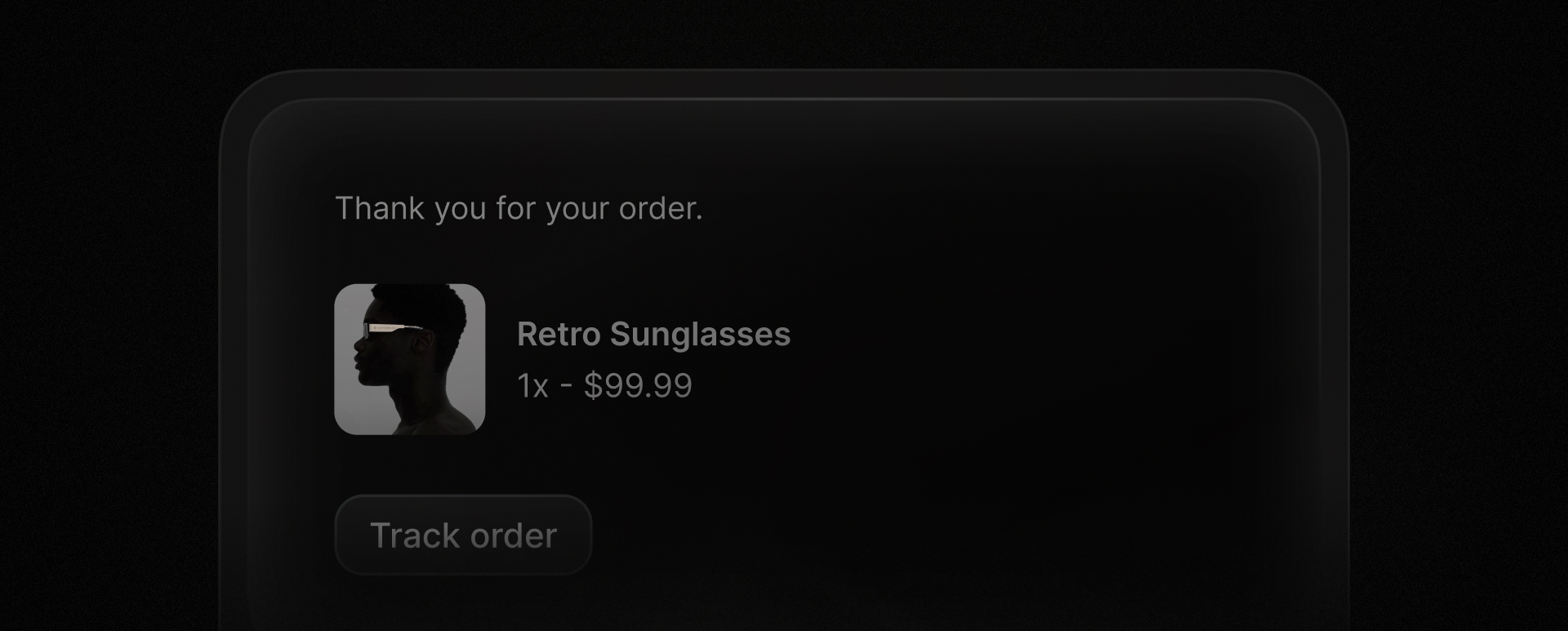
Both remote and local attachments are supported, but here is an example of inlining remote images.
await resend.emails.send({from: 'Acme <onboarding@resend.dev>',to: ['delivered@resend.dev'],subject: 'Thank you for contacting us',html: '<p>Here is our <img src="cid:logo-image"/> inline logo</p>',attachments: [{path: 'https://resend.com/static/sample/logo.png',filename: 'logo.png',contentId: 'logo-image',},],});
Embedded images are a powerful tool for enhancing the visual appeal of your emails.
Inline Image Attachments
Embed images in your emails using CID.
resend.com/changelog/embed-images-using-cid
11. Bonus: Pay As You Go
During busy sending seasons, you may run into your monthly quota limits on your transactional plan with Resend.
We're happy to announce that Resend now supports pay-as-you-go pricing for paid transactional email plans.
Resend will automatically charge you the overage price per each bucket of additional 1,000 emails using your default card on file.
To ensure you always have full visibility into your sending activity, Resend emails you an alert when you are approaching your quota limits, as well as when you exceed your quota (at 80%, 100%, etc.).

Pay As You Go
Continue sending and receiving transactional emails beyond your quota.
resend.com/changelog/pay-as-you-go-pricing
Looking Forward
We hope you enjoyed the new features we launched this year.
See you in the next one.